
When you run a Python script that takes more than a few seconds, something interesting happens—you start wondering what’s going on behind the scenes.
Is the program still running?
Did it get stuck?
How much time is left?
This uncertainty becomes even more frustrating when working with large datasets, machine learning models, or batch processing tasks. You’re essentially flying blind.
That’s where tqdm comes in.
It’s one of those small Python libraries that instantly improves your development experience by adding real-time progress tracking to your loops—with almost no effort.
In this guide, we’ll go beyond the basics and explore how to use tqdm effectively in real-world scenarios, including nested loops, pandas operations, and machine learning workflows.
What is tqdm?
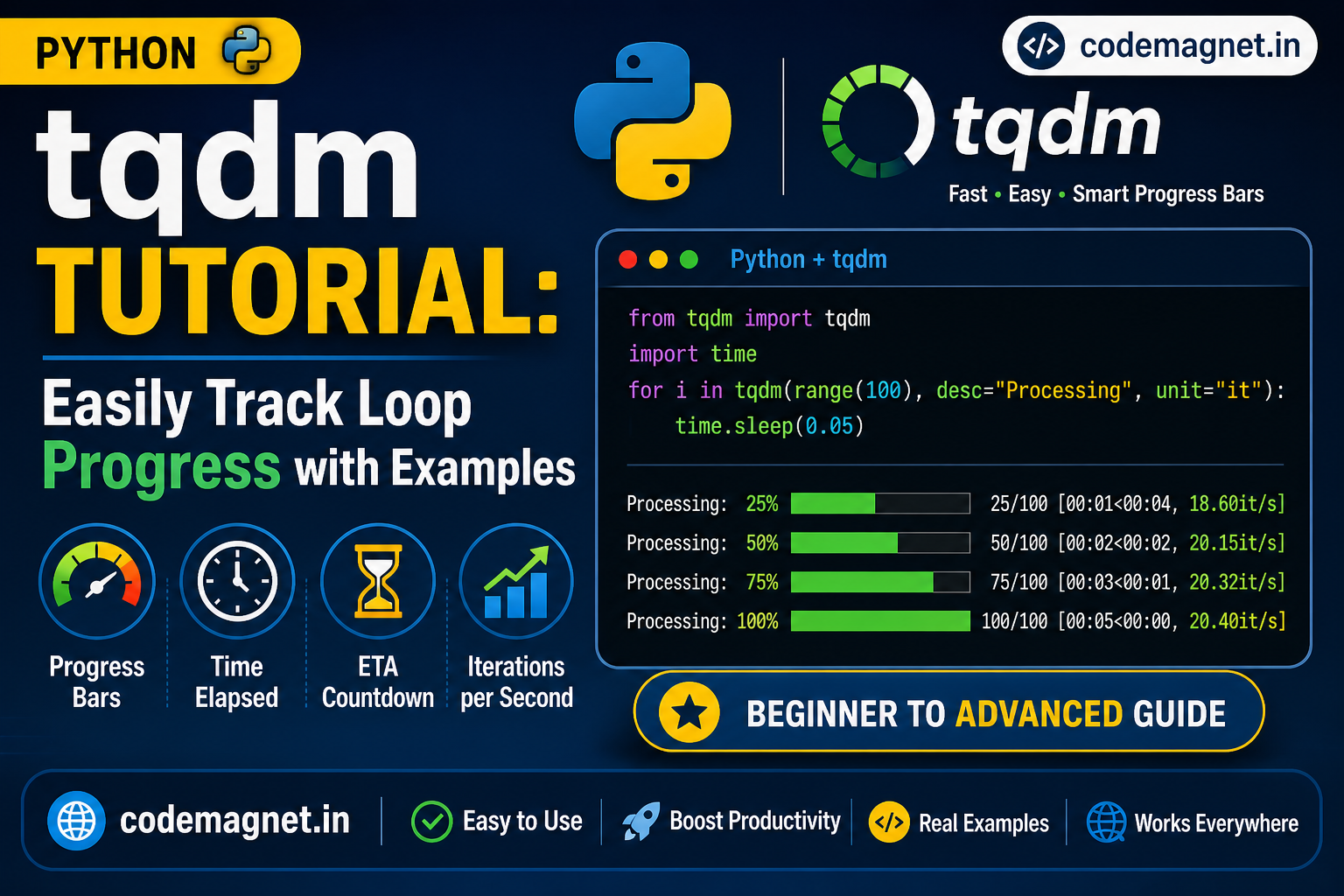
tqdm (short for “taqaddum”, meaning progress in Arabic) is a lightweight Python library that adds smart progress bars to your loops and iterable operations.
It provides:
- ✔️ Percentage completed
- ✔️ Iteration count
- ✔️ Elapsed time
- ✔️ Estimated remaining time (ETA)
- ✔️ Iterations per second
And the best part? You can integrate it with just one line of code.
Installation
Before getting started, install tqdm using pip:
pip install tqdm
Basic Example (Getting Started)
Let’s start simple.
from tqdm import tqdmimport timefor i in tqdm(range(10)): time.sleep(0.5)
✅ What happens here:
tqdm(range(10)) wraps the iterable
A progress bar appears in your terminal
It updates automatically as the loop runs
This alone can save you from a lot of guesswork.
Customizing the Progress Bar
You can make the progress bar more informative:
for i in tqdm(range(10), desc="Processing", unit="step"): time.sleep(0.5)
Output improvements:
desc→ Adds a labelunit→ Defines what each iteration represents
🧠 Why tqdm Matters in Real Projects
In real-world development, you often deal with:
Large CSV/Excel datasets
Image processing pipelines
API calls in bulk
Machine learning training loops
Without progress tracking, debugging becomes harder and user experience suffers.
tqdm solves this by giving visibility and confidence.
Advanced Example 1: Nested Loops
Nested loops are common in data processing and simulations.
from tqdm import tqdmimport timefor i in tqdm(range(5), desc="Outer Loop"): for j in tqdm(range(10), desc="Inner Loop", leave=False): time.sleep(0.1)
Key points:
leave=Falseprevents clutter from inner loops- Each loop gets its own progress bar
- Helps track multi-level operations clearly
Advanced Example 2: Using tqdm with Pandas
When working with data, you often use Pandas—and some operations can be slow.
tqdm integrates beautifully with Pandas using progress_apply().
import pandas as pdfrom tqdm import tqdmtqdm.pandas()df = pd.DataFrame({ "numbers": range(1000)})def process(x): return x * xdf["result"] = df["numbers"].progress_apply(process)
Benefits:
- Track row-wise operations
- Works with large datasets
- Great for feature engineering tasks
Advanced Example 3: Machine Learning Training Loop
In machine learning, training can take minutes or even hours. tqdm helps monitor progress per epoch and batch.
Example using a training loop:
from tqdm import tqdmimport timeepochs = 3batches = 100for epoch in range(epochs): print(f"Epoch {epoch+1}/{epochs}") for batch in tqdm(range(batches), desc="Training", unit="batch"): time.sleep(0.02)
With Loss Tracking (More Realistic)
from tqdm import tqdmimport randomepochs = 3batches = 50for epoch in range(epochs): progress_bar = tqdm(range(batches), desc=f"Epoch {epoch+1}") for batch in progress_bar: loss = random.random() progress_bar.set_postfix(loss=loss)
Why this is powerful:
- Shows live metrics (loss, accuracy, etc.)
- Helps debug training issues early
- Makes experiments more transparent
API Calls
from tqdm import tqdmimport requestsurls = ["https://example.com"] * 20for url in tqdm(urls, desc="Fetching Data"): response = requests.get(url)
Tips for Developers
1. Use leave=False for cleaner output
tqdm(range(10), leave=False)
2. Use set_postfix() for live metrics
pbar.set_postfix(loss=0.25, accuracy=0.92)
3. Use tqdm.notebook in Jupyter
from tqdm.notebook import tqdm
Combine with generators for memory efficiency
for item in tqdm(generator()): pass
Common Mistakes to Avoid
- ❌ Wrapping non-iterables incorrectly
- ❌ Forgetting
tqdm.pandas()before usingprogress_apply - ❌ Overusing nested bars without
leave=False - ❌ Ignoring performance in extremely tight loops
When Should You Use tqdm?
Use it when:
- Your loop runs longer than ~1 second
- You need better debugging visibility
- You want to improve user experience
- You’re working with large-scale data or ML
Avoid it for:
- Very small or instant operations
Final Thoughts
tqdm is one of those tools that feels optional—until you start using it. Once you do, it quickly becomes a standard part of your workflow.
It doesn’t change your algorithm.
It doesn’t improve performance directly.
But it dramatically improves how you interact with your code.
Instead of guessing, you know.
Instead of waiting blindly, you see progress.
And in development, that clarity makes all the difference.
What’s Next?
If you found this helpful, you can:
- Integrate
tqdminto your current projects - Use it in ML pipelines for better monitoring
- Combine it with logging tools for advanced tracking





Leave a Reply