
When I first started learning Python, I thought good programmers wrote long, clever code full of difficult words. The truth turned out to be the opposite. The best Python code often reads almost like a sentence in English, and a small group of built-in tools does most of the heavy lifting.
In this guide you will learn seven Python tricks that replace messy, repeated code with something short and clear. Every example is tiny, tested, and ready to copy. You do not need to install anything. If you can write a simple for loop, you can use every trick below today.
1. Use enumerate() instead of a counter variable
Picture a cafe menu where every dish needs a number beside it. Many beginners create a variable called count, set it to zero, and add one inside the loop. That works, but it is one more thing to remember and one more place for a bug to hide.
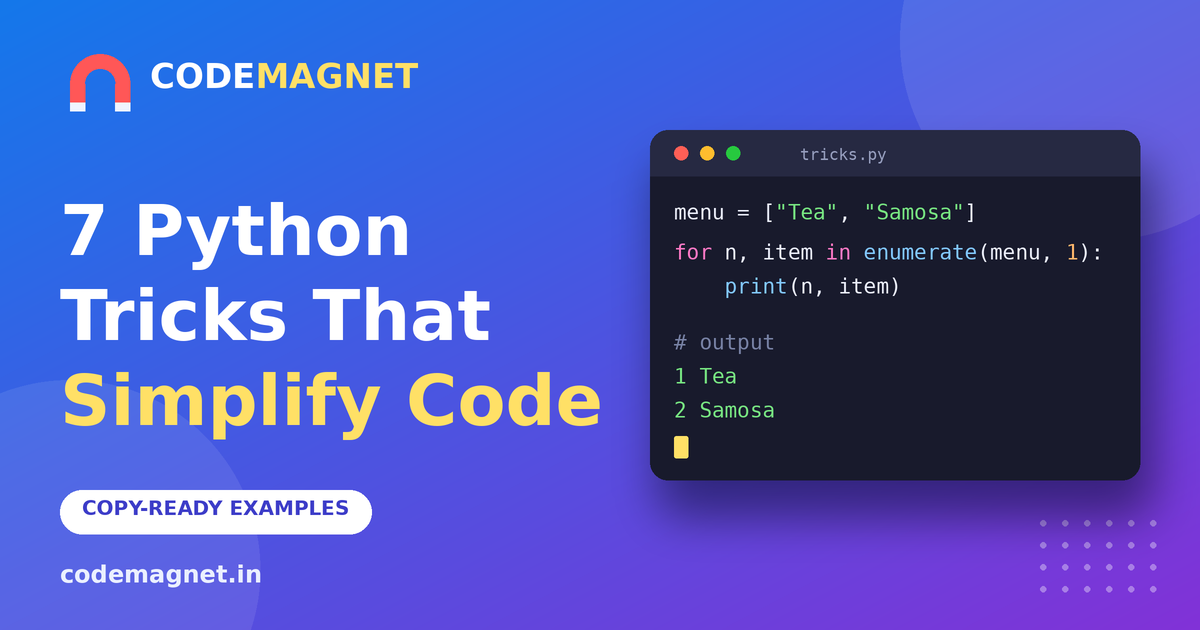
enumerate() does the counting for you. On every turn of the loop it hands you two things: the position and the item. Think of the token machine at a bank, which gives each person a number as they walk in. The start=1 part simply tells it to begin from 1 instead of 0, which feels more natural when people will read the numbers.

menu = ["Tea", "Samosa", "Sandwich"]for number, item in enumerate(menu, start=1): print(f"{number}. {item}")
2. Use zip() to read two lists side by side
Imagine you keep student names in one list and their marks in another. Looping with index numbers to match them is clumsy. zip() works like the zipper on a jacket: it joins the first item of each list, then the second, then the third.
One thing to remember: zip() stops when the shorter list ends, so extra items on the longer list are quietly ignored. Check that both lists have the same length if every item matters.

students = ["Asha", "Ravi", "Meena"]marks = [82, 67, 91]for student, mark in zip(students, marks): print(student, "scored", mark)
3. Build a dictionary in one line with a comprehension
Suppose a shop keeps prices in a dictionary and you need to add 18% GST to every price. The long way is to create an empty dictionary, loop through the old one, and fill the new one step by step.
A dictionary comprehension says the same thing in a single line. Read it out loud: for every item and cost in prices, make a new pair of item and cost times 1.18. The original dictionary stays untouched, which is a safe habit when you are experimenting.

prices = {"pen": 10, "book": 120, "bag": 450}with_gst = {item: round(cost * 1.18, 2) for item, cost in prices.items()}print(with_gst)
4. Ask simple questions with any() and all()
Most people write a loop with a flag variable to answer questions like these. Python already has the answers built in. any() asks whether at least one thing is true. all() asks whether every single thing is true.
In the example, the first line asks if anyone scored 90 or above. The second asks if everybody passed with 40 or more. Both give a plain True or False, and you can read them almost like English.

marks = [45, 62, 78, 90]print(any(m >= 90 for m in marks)) # did anyone score 90+?print(all(m >= 40 for m in marks)) # did everyone pass?
5. Count things quickly with Counter
Counting how many times each word, vote, or product appears usually needs an if statement and a dictionary. Counter from the collections module takes a whole list and returns a ready-made tally.
It also has a handy method called most_common(). Asking for the top one gives you the winner of the vote along with its count. That is a full ballot counting program in four lines.

from collections import Countervotes = ["tea", "coffee", "tea", "juice", "tea", "coffee"]tally = Counter(votes)print(tally)print(tally.most_common(1))
6. Split a list into named parts with unpacking
Say an order arrives as a list: customer name, city, and then any number of items bought. Pulling values out by index numbers such as order[0] and order[1] makes code hard to read, because nobody remembers what the numbers mean.
Unpacking lets you give each position a proper name in one step. The star in front of items works like a bag that collects whatever is left over, so it does not matter whether the customer bought two things or twenty.

order = ["Priya", "Pune", "laptop", "mouse", "charger"]customer, city, *items = orderprint(customer, city)print(items)
7. Swap two values without a helper
In many languages, swapping two values needs a third temporary variable, like pouring juice into an extra glass so two glasses can trade places. Python skips the extra glass.
Python prepares the right side first and then assigns it to the left, so the values trade places safely. This one line shows up in sorting programs and interview questions all the time.

a, b = 5, 9a, b = b, aprint(a, b)
Why these Python tricks are worth learning
Shorter code is not the goal here. Clearer code is. Each trick removes a small chore, such as tracking a counter or writing a flag variable, so your attention stays on the actual problem. Fewer chores also mean fewer places for mistakes.
Code is read far more often than it is written, sometimes by you after a month away from the project. A line like Counter(votes) explains itself, while a ten line counting loop makes the reader work.
A simple way to practice these tricks
Open a blank file and rewrite one of your old loops using a single trick from this list. For example, replace a manual counter with enumerate(), or a vote counting loop with Counter. Run both versions and compare the output. Seeing the same result from fewer lines is the quickest way to trust a new tool.
Try one trick per day for a week. By the end you will recognise the pattern in other people’s code too, which makes reading tutorials and open source projects much easier.
Common mistakes beginners make
Do not squeeze everything into one line just because you can. If a comprehension needs a minute of thought to read, a normal loop is the better choice. Also remember to import Counter from collections before using it, and keep your lists the same length when using zip().
Frequently asked questions
Are these Python tricks suitable for beginners?
Yes. Every trick here uses built-in features and short examples, so you can try them in your first weeks of learning Python.
Do I need to install any library?
No. Counter comes with Python in the collections module, and everything else is part of the language itself.
Which trick should I learn first?
Start with enumerate() and zip(). You will use them in almost every program that loops over data.
Final thoughts
You do not need advanced syntax to write good Python. Learn these seven tools, use them where they make the code easier to read, and your programs will become shorter and friendlier almost immediately. Pick one trick today, try it in your own small project, and add the next one tomorrow.



Leave a Reply